
Themes
Learn about and choose from the various themes offered by Moire
Moire offers several meticulously designed themes, each with its own unique visual style and atmosphere.
Available Themes
Section titled “Available Themes”Classic (Default)
Section titled “Classic (Default)”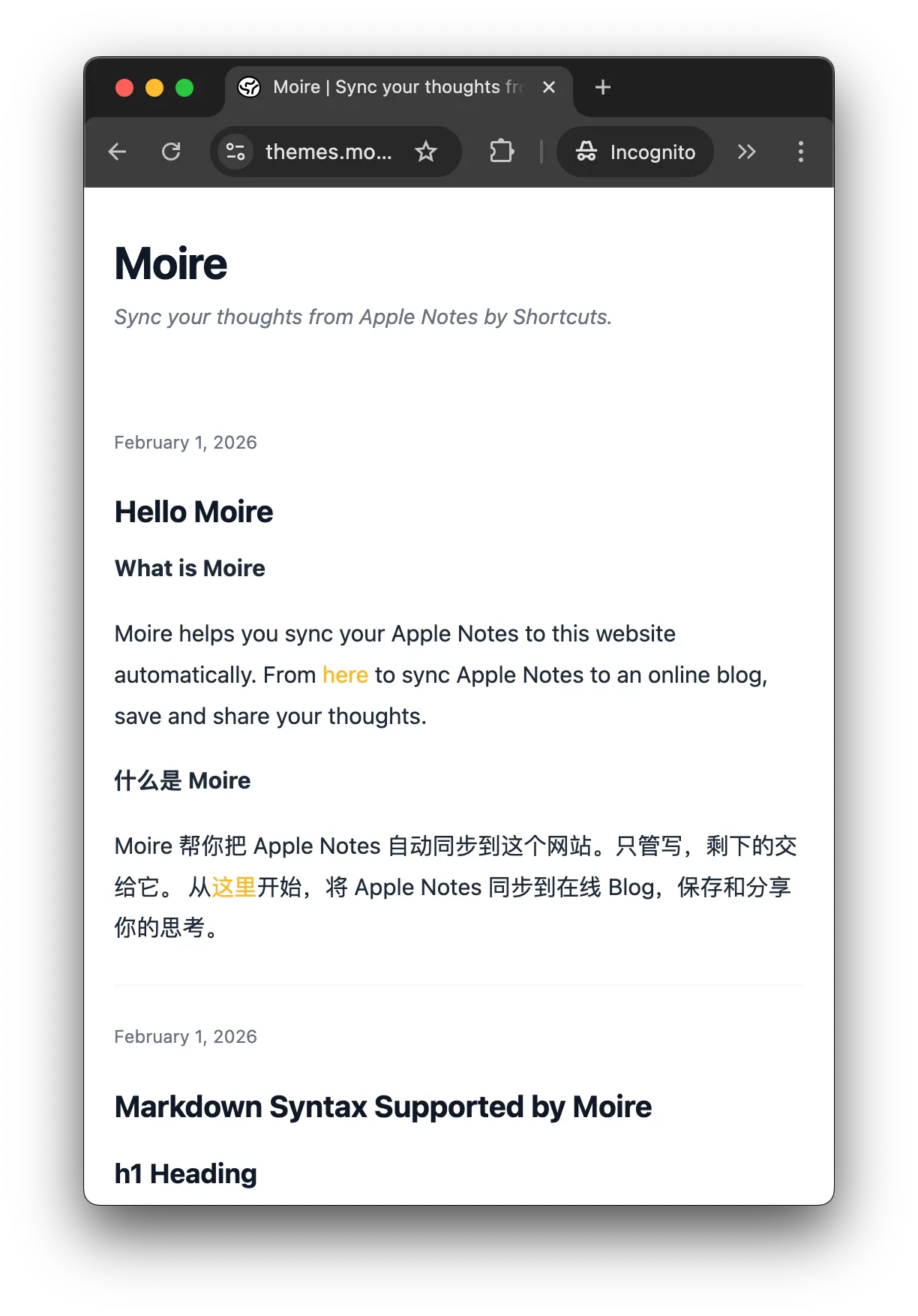
Receipt (Retro Style)
Section titled “Receipt (Retro Style)”Features:
- 🧾 Simulates the texture of paper receipts
- 📝 Monochrome black and white design
Preview:
theme: "receipt"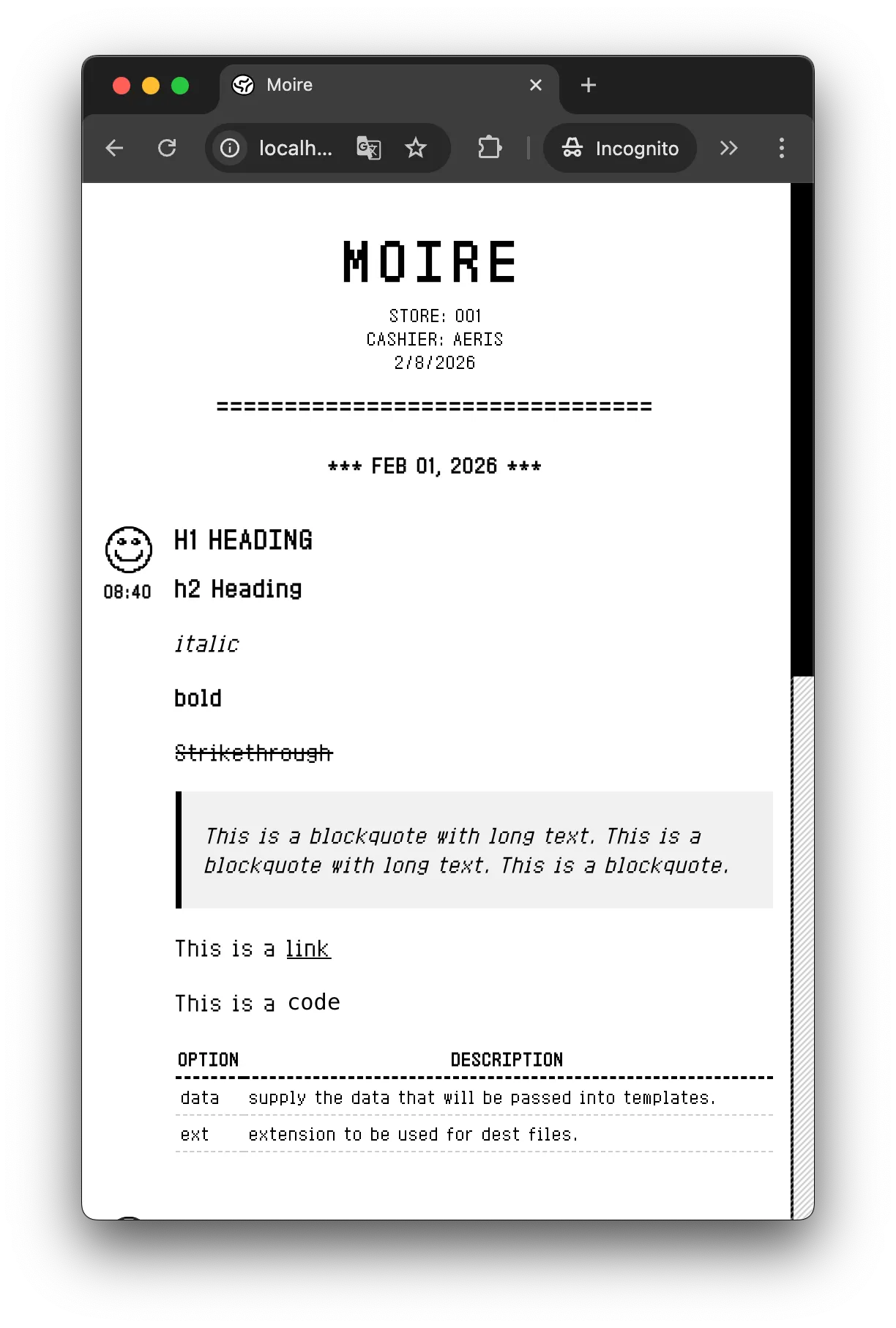
Cyberpunk (Hacker Style)
Section titled “Cyberpunk (Hacker Style)”Features:
- 💻 Hacker terminal style
- ⚡ Dynamic scanline effects
Preview:
theme: "cyberpunk"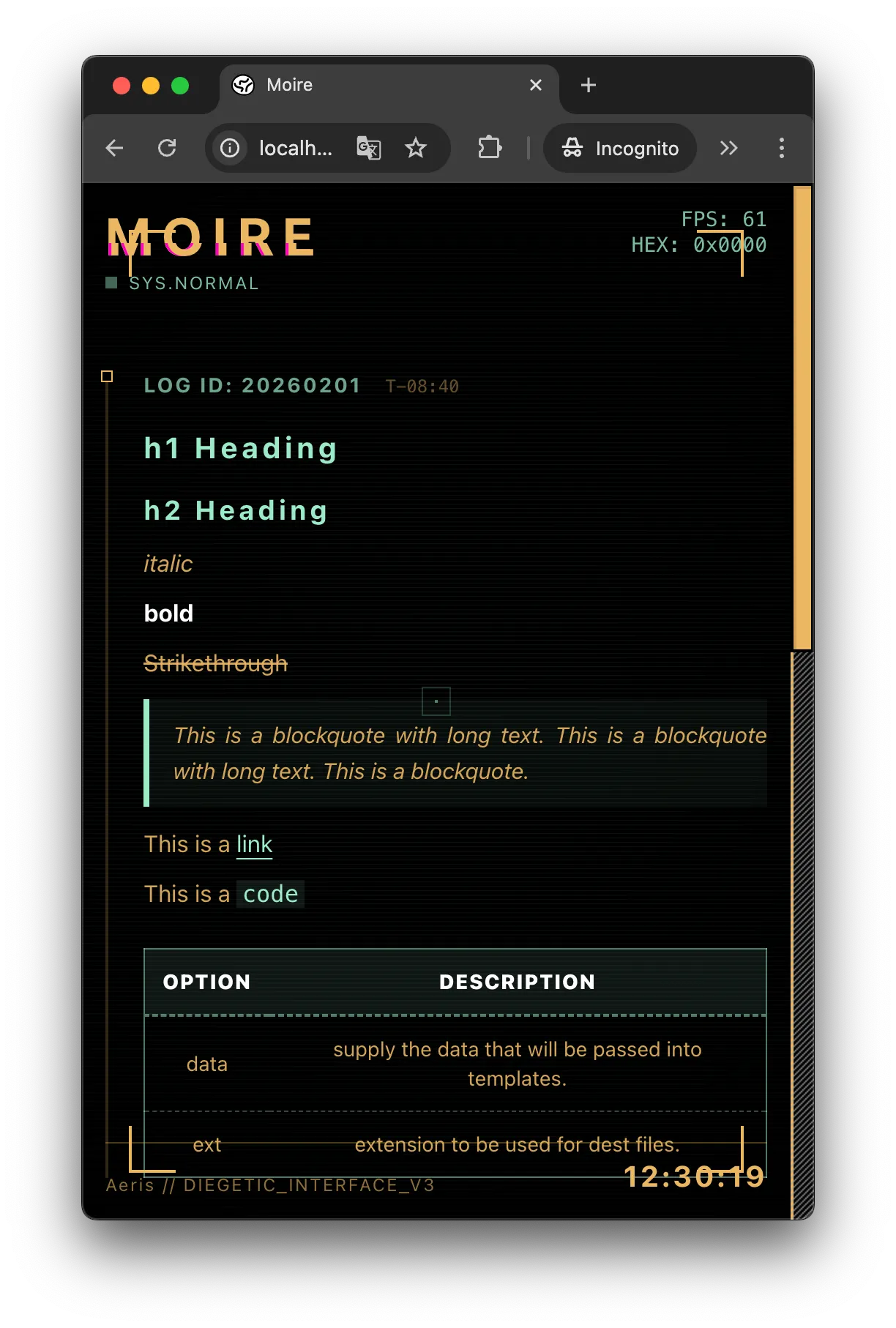
Academic (Formal Style)
Section titled “Academic (Formal Style)”Features:
- 🎓 Serif fonts
- 📄 Formal notebook layout
Preview:
theme: "academic"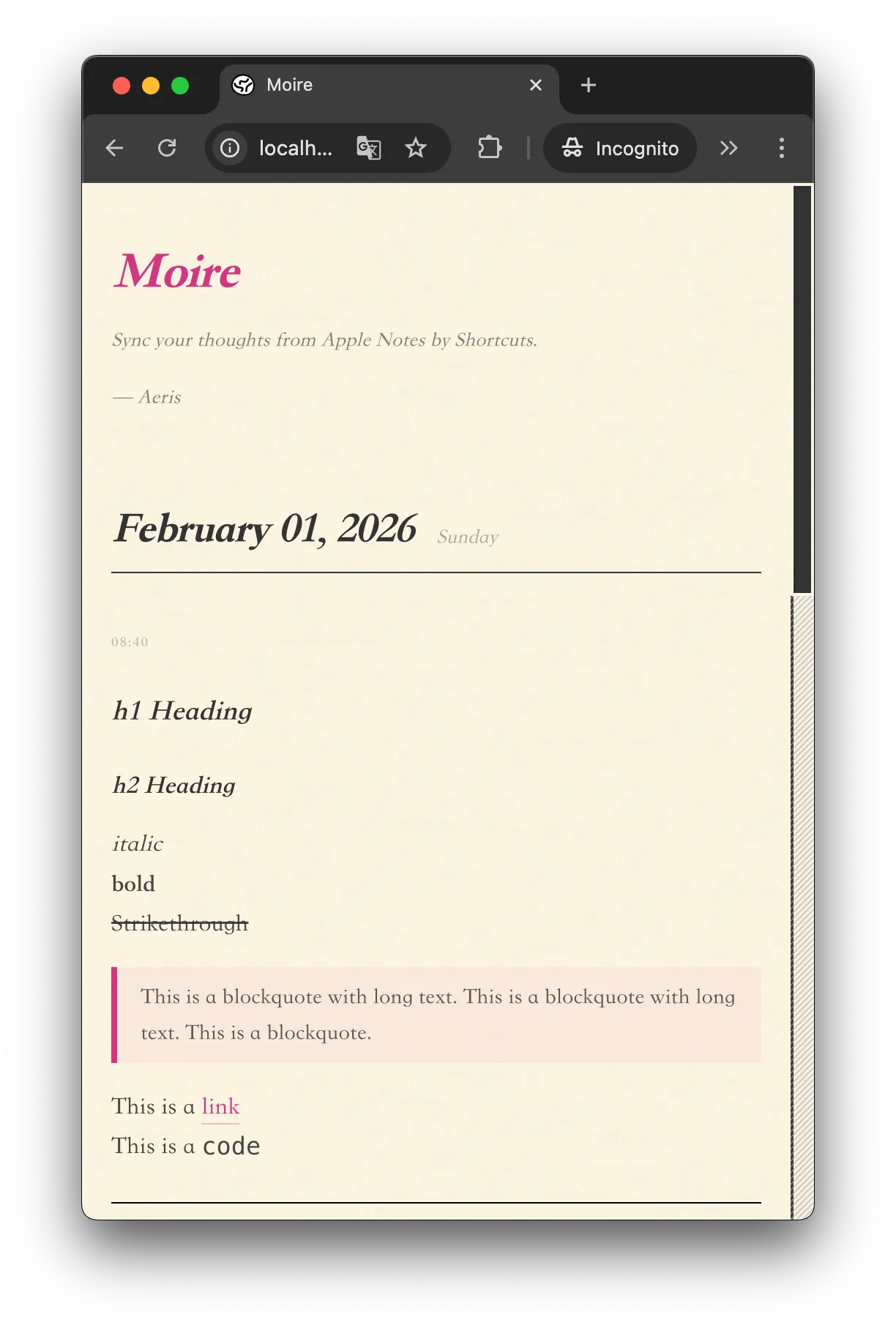
Pixel (Game Style)
Section titled “Pixel (Game Style)”Features:
- 🎮 8-bit pixel art
- 🎨 Bright colors
Preview:
theme: "pixel"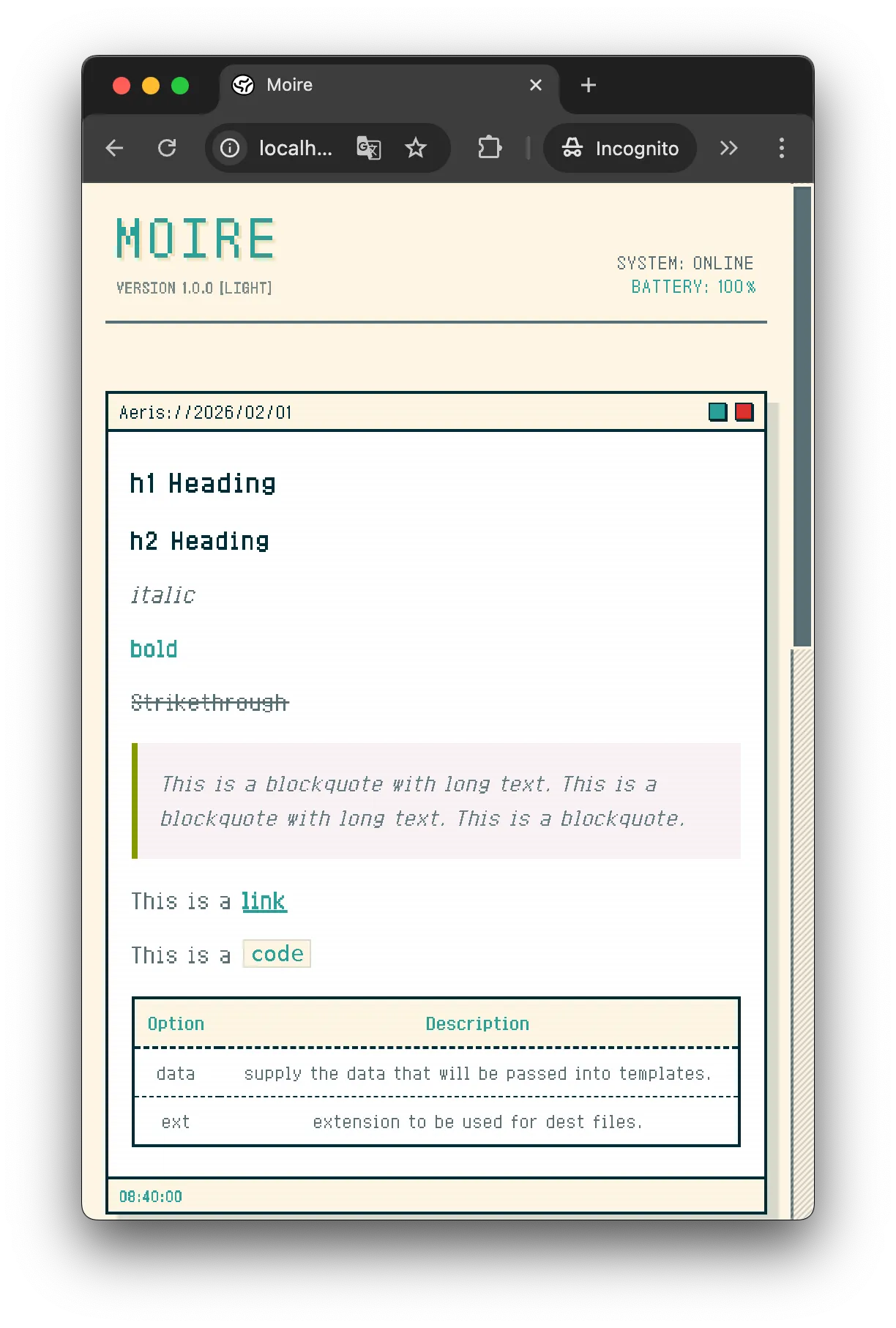
Bento (Modern Style)
Section titled “Bento (Modern Style)”- Rounded card layout
- Fluid background
Preview:
theme: "bento"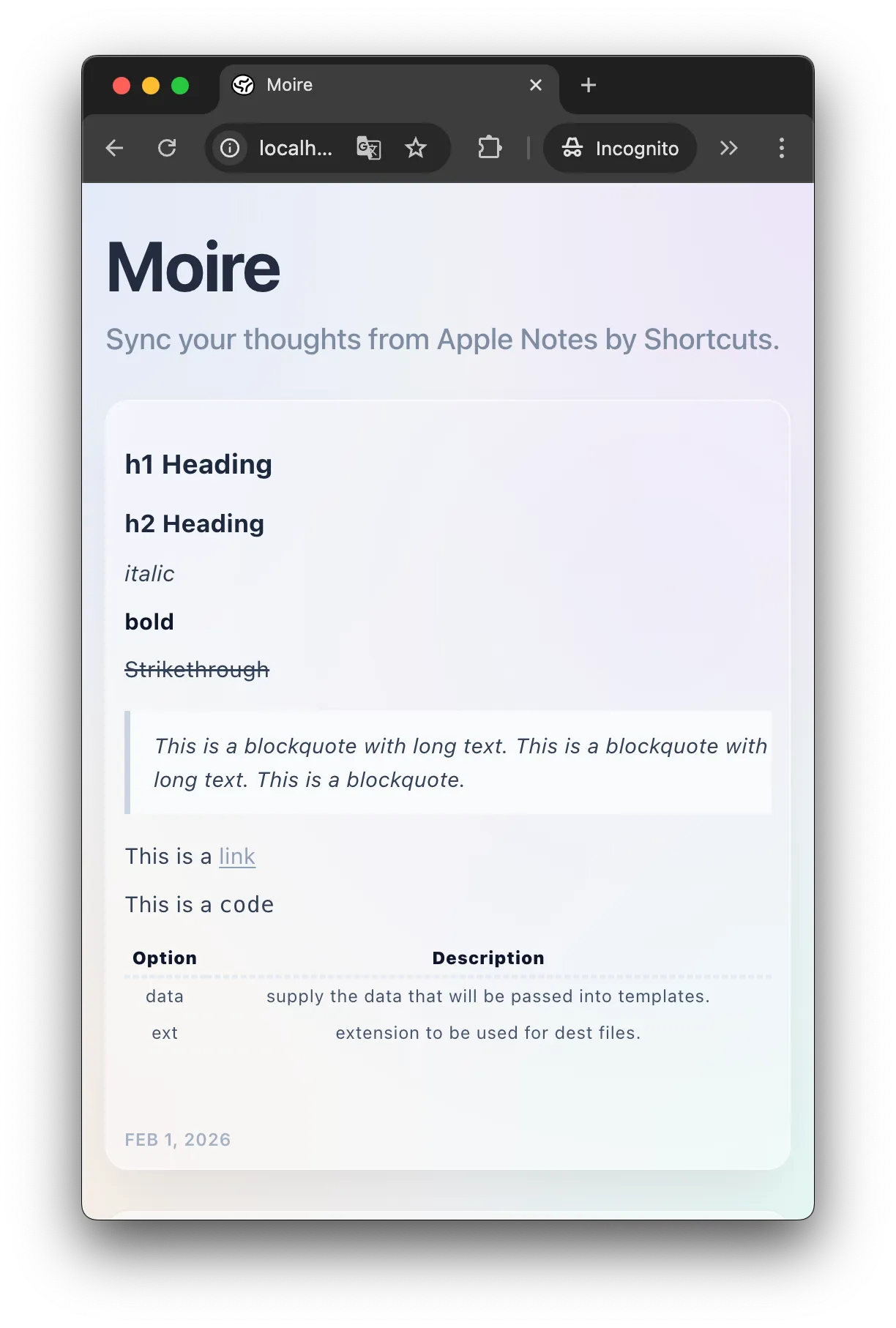
How to Switch Themes
Section titled “How to Switch Themes”Modify the theme field in moire.config.ts:
export default { title: "My Blog", theme: "cyberpunk", // Change to your desired theme // ... other configs}Commit to GitHub and wait for the build to complete.
Custom Themes (Advanced)
Section titled “Custom Themes (Advanced)”If you’re familiar with frontend development or Vibe Coding, you can even create your own theme!
Theme files are located at: src/themes/your-theme/
You will need to:
- Create an
index.sveltecomponent - Define CSS styles
- Reference
your-themein the configuration
Refer to the Developer Docs for a detailed tutorial.
Theme Roadmap
Section titled “Theme Roadmap”Upcoming themes:
- 🌙 Midnight - Minimalist dark mode
- ✍️ Handwriting - Handwritten note style
Next Steps
Section titled “Next Steps”Learn about Markdown support and image uploads.
Markdown Support Check out the supported Markdown syntax