
API Acceleration
Configure a GitHub API proxy for users in mainland China
If you are in mainland China, you may experience slow speeds or connection failures when accessing the GitHub API. This chapter describes how to set up a proxy using Cloudflare Workers.
Why Do You Need a Proxy?
Section titled “Why Do You Need a Proxy?”Shortcuts need to call the GitHub API to upload notes, but in some network environments:
- Requests time out
- Speeds are extremely slow
Using a Cloudflare Workers proxy can significantly improve speed and stability.
Deploy Cloudflare Workers
Section titled “Deploy Cloudflare Workers”Prerequisites
Section titled “Prerequisites”- Cloudflare account (free)
- Your own domain (Required, as
workers.devdomains are also inaccessible in certain regions) - Domain managed by Cloudflare
We provide a one-click deployment button (based on the standalone repository github-api-proxy):
Deploy to Cloudflare Workers in One Click
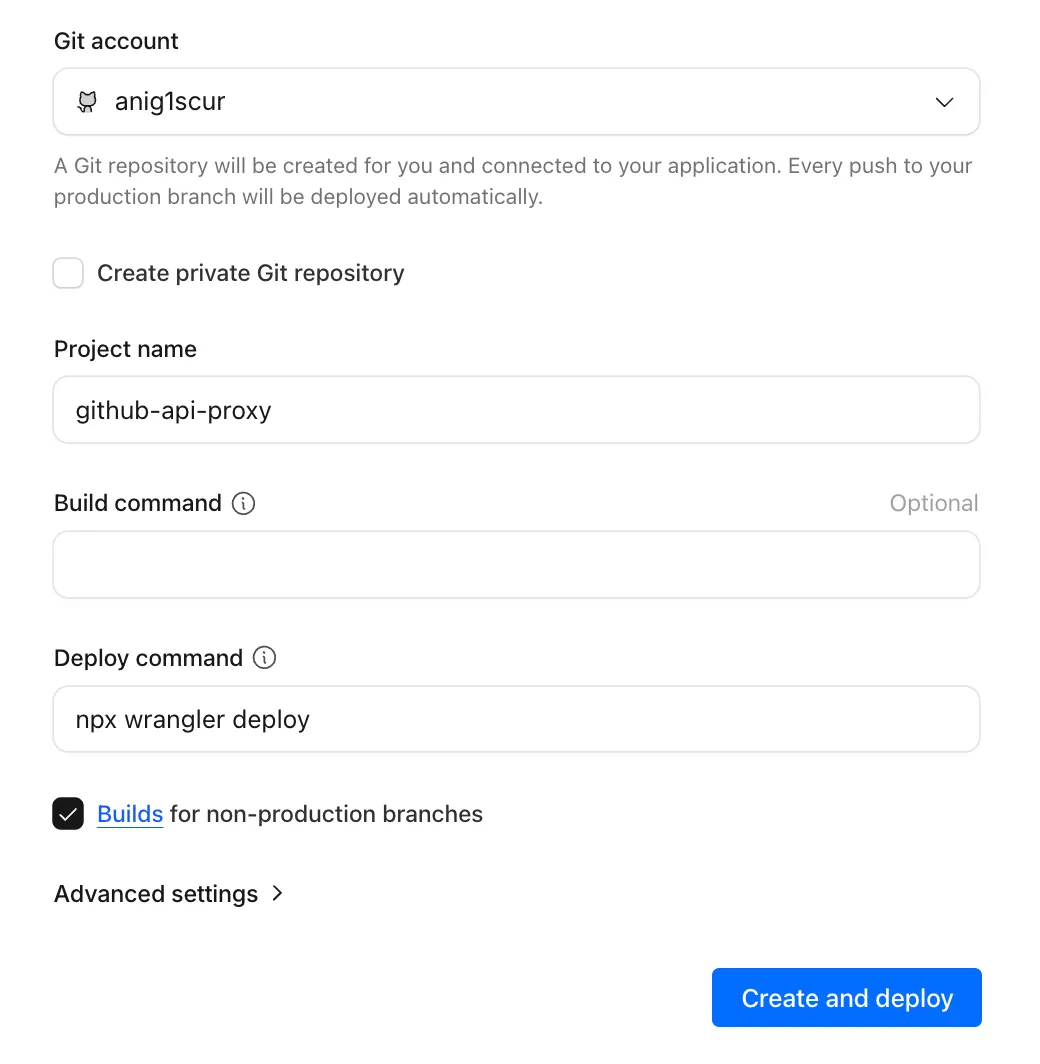
Manual Deployment
Section titled “Manual Deployment”Alternatively, if you want to customize the code, you can clone the worker repository for manual deployment:
- Ensure Node.js is installed.
- Clone the repository and deploy:
Terminal window git clone https://github.com/moirelog/github-api-proxy.gitcd github-api-proxynpm installnpx wrangler deploy - Follow the prompts to log in to your Cloudflare account and confirm the deployment.
Get Your Worker URL
Section titled “Get Your Worker URL”After a successful deployment, you will receive a URL, such as https://github-api-proxy.YOUR_DOMAIN.workers.dev.
Bind a Custom Domain
Section titled “Bind a Custom Domain”- On the Worker page, click Settings.
- Click Add next to the Domains & Routes heading.
- Select Custom Domain.
- Enter your subdomain (e.g.,
api.yourdomain.com). - Click Add Custom Domain.
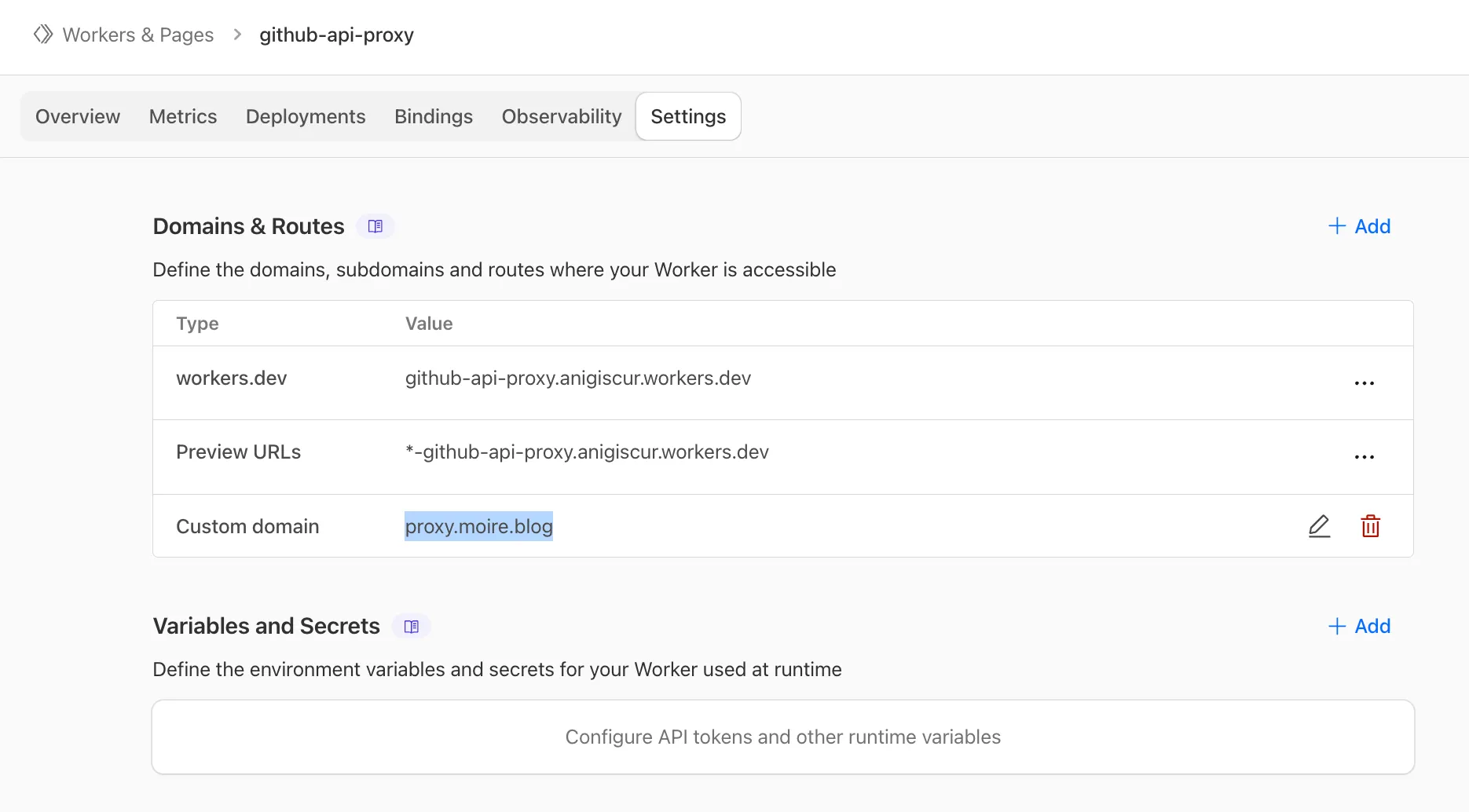
Now, your Worker URL is:
https://api.yourdomain.comCopy this custom domain URL; you will need it later.
Configure the Shortcut
Section titled “Configure the Shortcut”Now you need to modify Moire Config to use your proxy.
-
Open the Shortcuts app.
-
Find Moire Config.
-
Click the … in the top right corner to Edit.
-
Find the proxy variable (usually near the top).
-
Change the default value
https://api.github.comto your custom domain URL:https://api.yourdomain.com -
Click Done.
-
Run Moire Config once to save the configuration.
Test the Proxy
Section titled “Test the Proxy”Test it after configuration:
Write a test note in the Moire folder, close Apple Notes or press ^S to trigger the sync. If it succeeds, the proxy is working correctly.
Troubleshooting
Section titled “Troubleshooting”Workers Deployment Failed?
Section titled “Workers Deployment Failed?”- Ensure your Cloudflare account email is verified.
- The free plan has a limit of 100,000 requests per day (completely sufficient for a personal blog).
Shortcut Still Fails?
Section titled “Shortcut Still Fails?”- Check if the proxy URL in Moire Config is correctness.
- Ensure the URL does not end with an extra
/. - Key: Ensure you used a custom domain, not the
workers.devdomain. - Try accessing the Worker URL in a browser to see if it returns a 404.
Next Steps
Section titled “Next Steps”If you want to use a custom domain for your blog.