
主题风格
了解并选择 Moire 提供的多种主题
Moire 提供多套精心设计的主题,每个主题都有独特的视觉风格和氛围。你可以访问 Moire Themes 查看所有主题。
Classic(默认)
Section titled “Classic(默认)”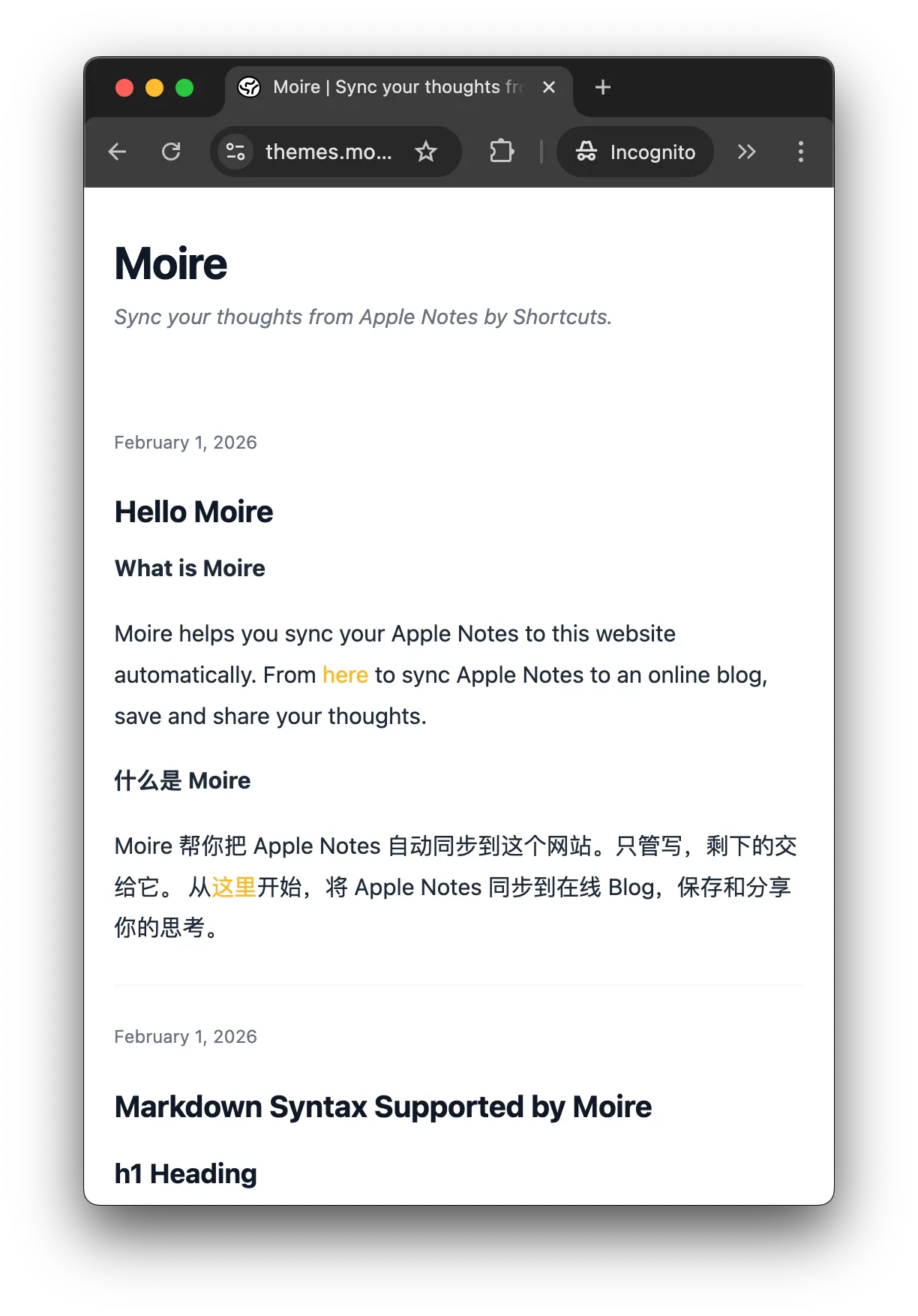
Receipt(票据风)
Section titled “Receipt(票据风)”特点:
- 🧾 模拟纸质票据的质感
- 📝 单色黑白设计
预览:
theme: "receipt"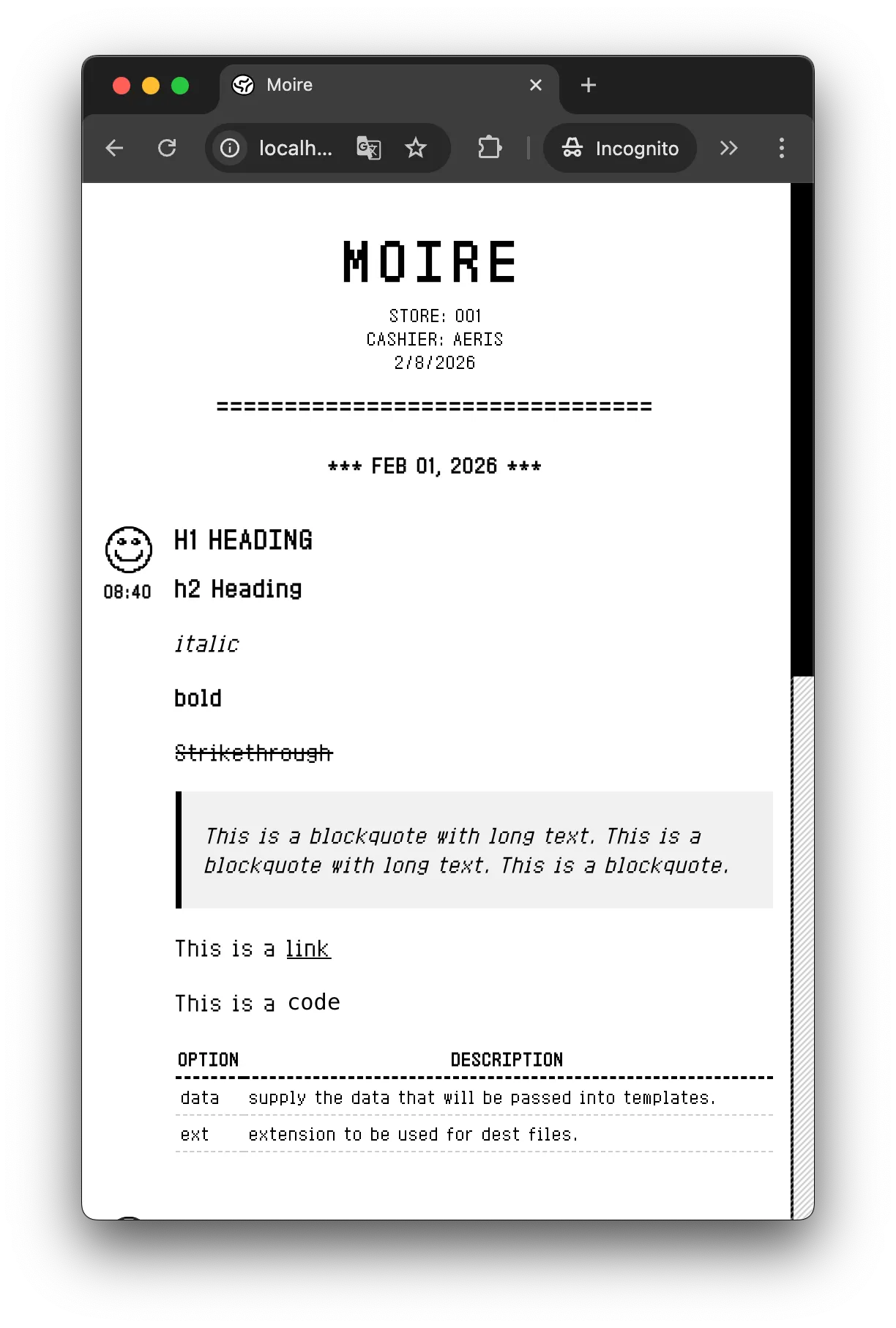
Cyberpunk(赛博朋克)
Section titled “Cyberpunk(赛博朋克)”特点:
- 💻 黑客终端风格
- ⚡ 动态扫描线效果
预览:
theme: "cyberpunk"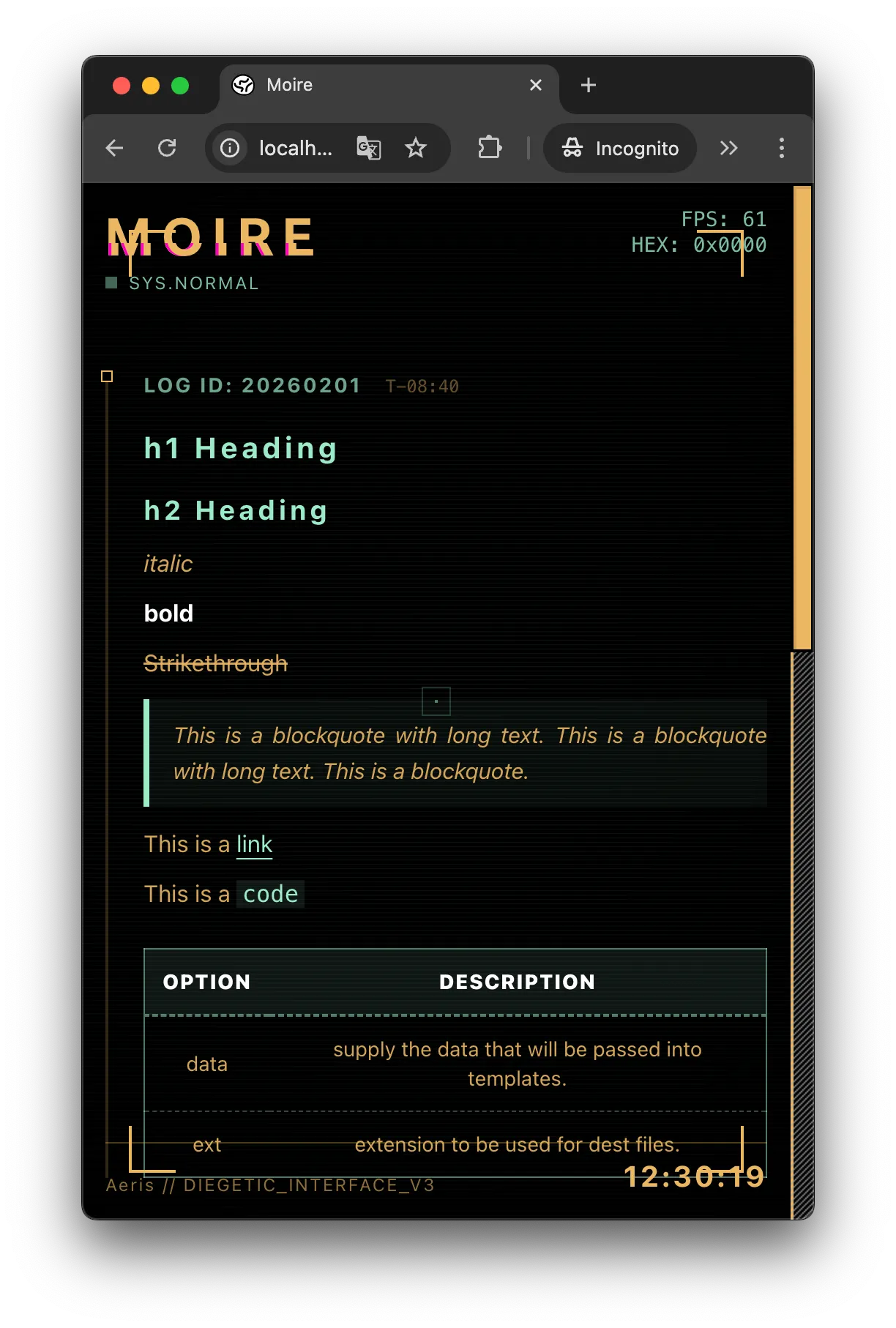
Academic(学术风)
Section titled “Academic(学术风)”特点:
- 🎓 衬线字体
- 📄 正式的笔记本样式
预览:
theme: "academic"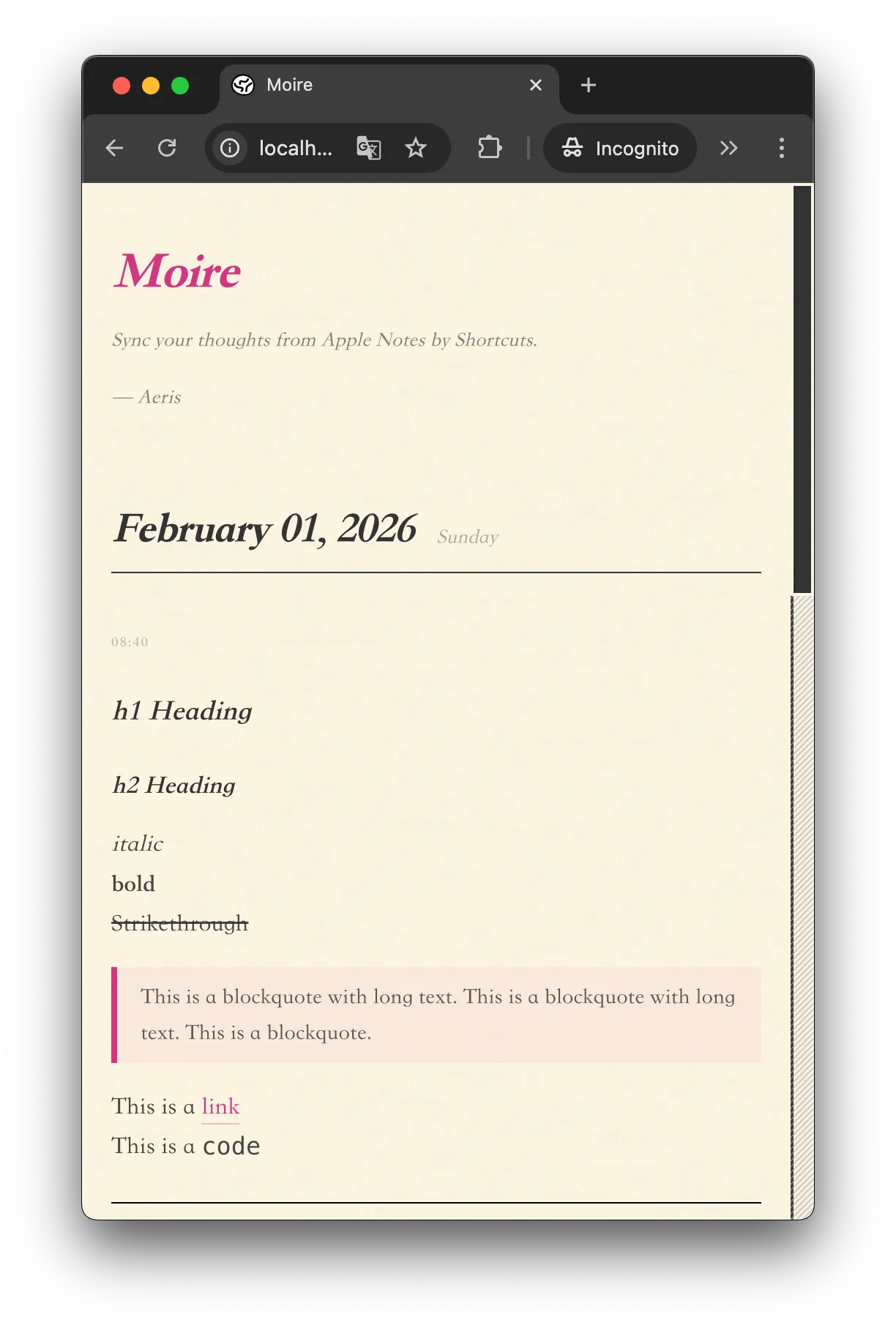
Pixel(像素游戏风)
Section titled “Pixel(像素游戏风)”特点:
- 🎮 8-bit 像素艺术
- 🎨 明快色彩
预览:
theme: "pixel"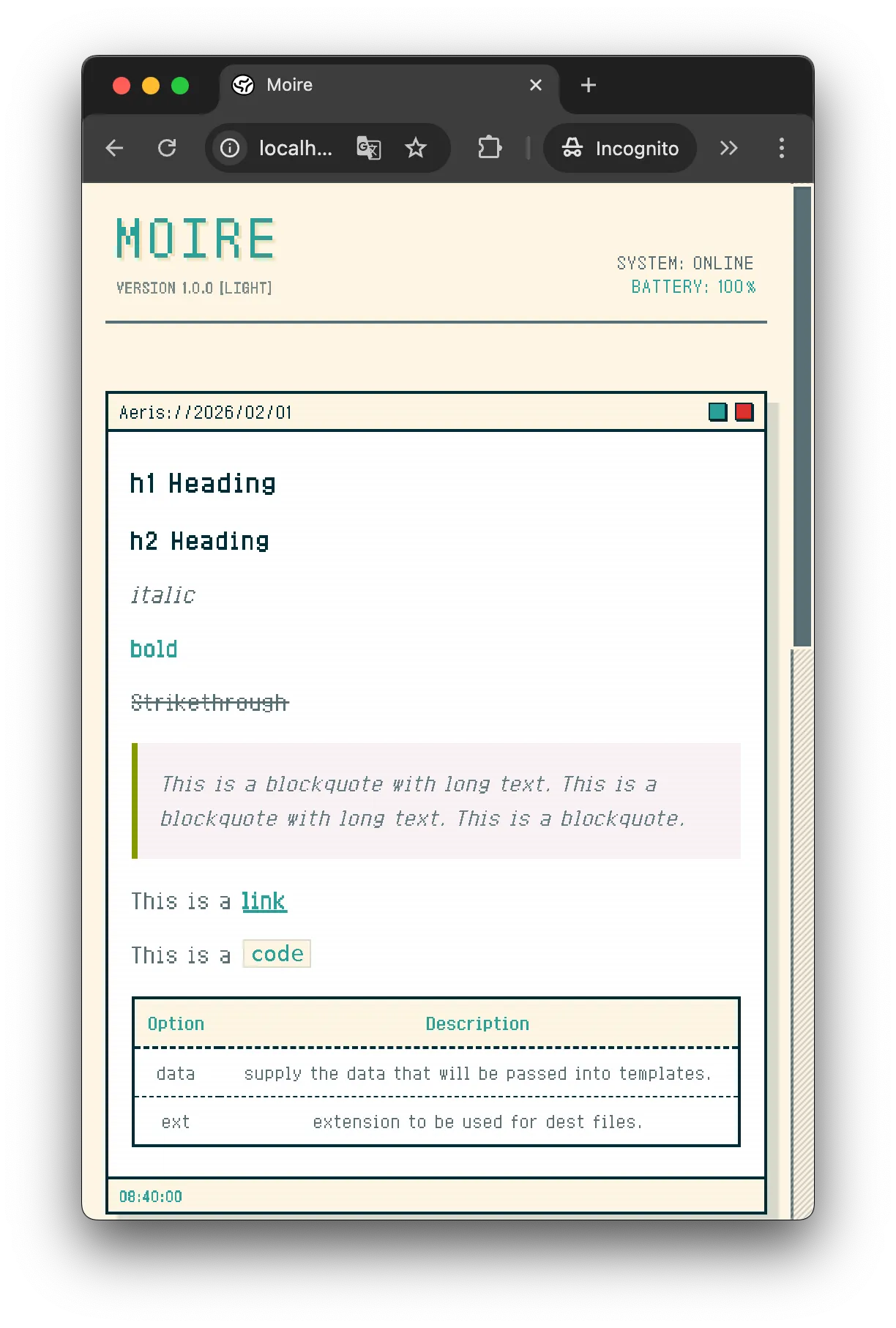
Bento(现代风)
Section titled “Bento(现代风)”- 圆角卡片
- 流动背景
预览:
theme: "bento"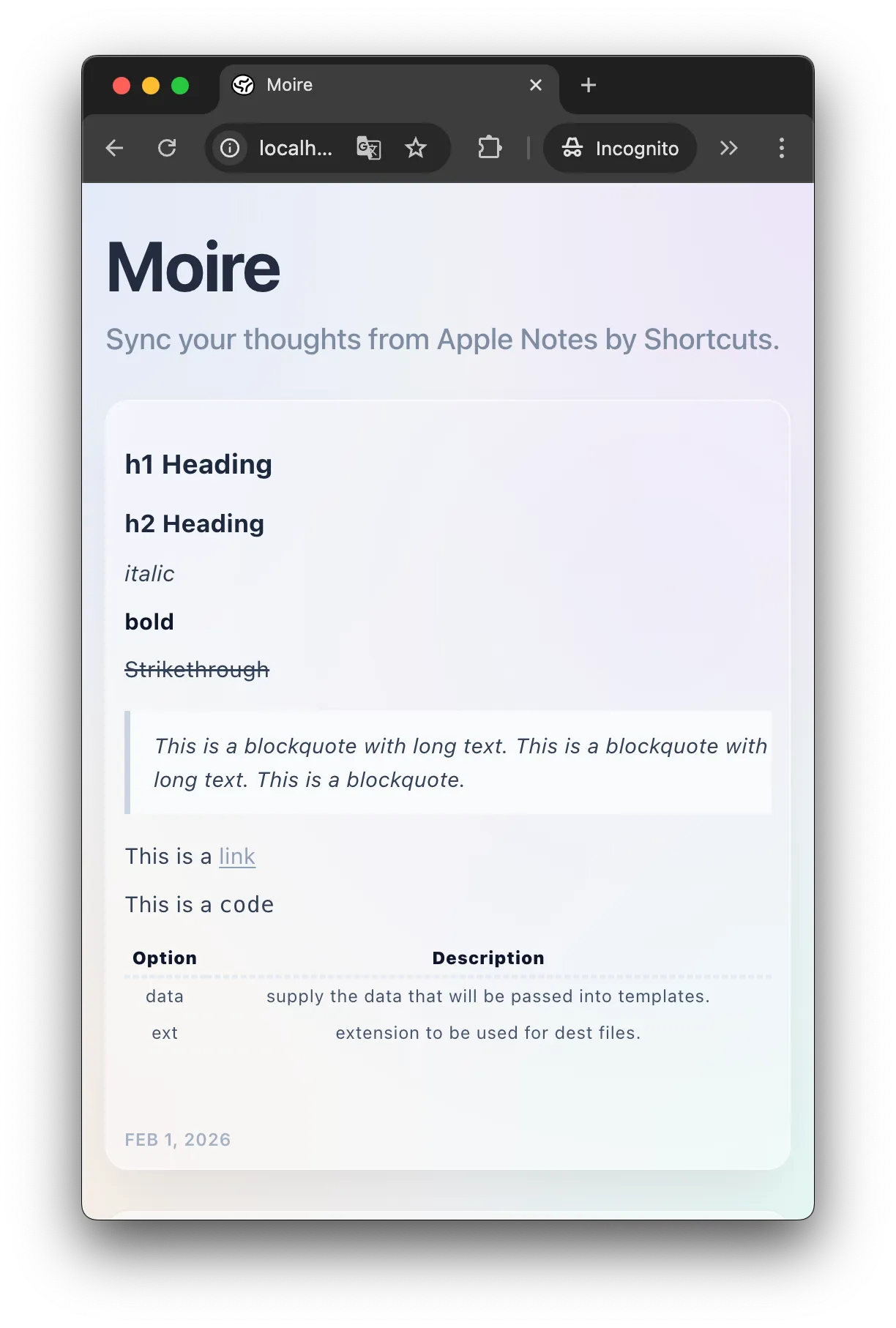
如何切换主题
Section titled “如何切换主题”在 moire.config.ts 中修改 theme 字段:
export default { title: "My Blog", theme: "cyberpunk", // 改成你想要的主题 // ... 其他配置}提交到 GitHub,等待构建完成即可。
自定义主题(进阶)
Section titled “自定义主题(进阶)”如果你了解前端开发或 Vibe Coding,可以创建自己的主题!
主题文件位于:src/themes/your-theme/
你需要:
- 创建
index.svelte组件 - 定义 CSS 样式
- 在配置中引用
your-theme
详细教程请参考 开发者文档。
即将推出的主题:
- 🌙 Midnight - 深色极简风
- ✍️ Handwriting - 手写笔记风
了解 Markdown 和图片上传的支持情况。
Markdown 支持 查看支持的 Markdown 语法